Posts

Showing posts with the label eths

EdTech @ETHS Vol. 1 Issue 9

Inside this issue: Back to School Technology Workshops (ETHS) Summer Webinars Quick Tech Tips ISTE in Review EdTech Conferences and more! Check it out after the jump.

EdTech @ETHS Vol.1 Issue 7

Inside this issue: Using Clickers for Formative Assessments 4th Quarter Tech Tools Summer Workshop Planning (ETHS) Quick Tech Tips EdTech Conferences and more! Check it out after the jump.

EdTech @ETHS Vol.1 Issue 6

Inside this issue: Technology Teacher Recognition Parent Teacher Conferences (ETHS) Internet Safety (ETHS) Quick Tech Tips EdTech Conferences and more! Check it out after the jump.

EdTech @ETHS Vol.1 Issue 5

Inside this issue: Black History Month on Discovery Education Streaming Announcing "TechSpace" (ETHS) Google Apps Transition (ETHS) Best iPhone Apps EdTech Conferences and more! Open publication - Free publishing - More monthly For more thoughts on Technology,  please consider subscribing to the RSS feed or through email .

EdTech @ETHS Vol.1 Issue 3

Image
This issue's applicable to those outside of ETHS as well as you'll find articles about Expanded Google Apps including Blogger, Tech Tips for Final Exams, some holiday tech gift ideas, and more.   Subscribe to all Chanatown Teacher Posts on  RSS  or via  Email here . Open publication - Free publishing - More eths

LiveBinders - ePortfolios done easily

Image
I'm working with our Literacy Coordinator on creating some student electronic portfolios, and there exists a wide variety of options ranging from creating student websites to collecting works in a digital file cabinet. We decided to give LiveBinders a try, mostly because it scored big points in terms of ease of use, simple design, and strong core functionality. More on the initial setup after the jump.

EdTech @ETHS Vol.1 Issue 2

Image
Installment #2 of our monthly newsletter regarding education technology at ETHS.   Subscribe to all Chanatown Teacher Posts on  RSS  or via  Email here . Open publication - Free publishing - More technology

AverMedia CP-155 Document Camera Review and Phase I Deployment

Image
We initially ordered 10 document cameras for use with our Technology Demonstration Classroom program, but once these digital devices started getting used, word quickly spread on how useful and almost as important, how easy it was to get up and running with the machines. A new order of 15 cameras was received and we're in the process of deploying these to those interested teachers. Here's a quick review and run through for the AverMedia CP-155 document camera .

Discovery Education Streaming Part 2: Searching for and Finding Video Content

Image
In my overview  post on Discovery Education Streaming (DES), I discussed how to use the main homepage (My DE) to begin your search for relevant, engaging, and embeddable video content. However, as noted in the post, DES Streaming has over 80,000 videos and its supply increases daily. Today, we'll look at how to narrow down your search, how to save your discovered content, and discuss a few more ways to get the most out of this great resource.

Discovery Education Streaming - Thousands of educational video clips at your fingertips

Image
Perhaps one of the more underutilized applications available at ETHS, Discovery Education Streaming (DES) offers over 80,000 embeddable and/or stand alone video clips for teachers to use, stream, and download through the cloud. In this series of posts, I'll take a closer look at a few different ways to maximize DES in your classes. Today's first post involves some general features of DES and how you can immediately get up and running.

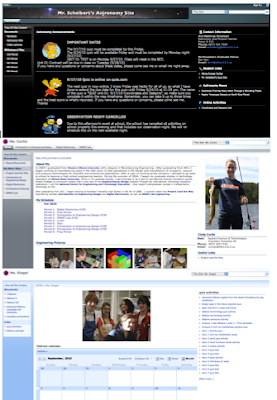
Tips for Teacher Websites #3: Going beyond the basics

Image
Another day, another post completing a trilogy. This time, we're taking a deeper look at some things you can do beyond the basics for both SharePoint and Google Sites. As mentioned in both post #1 (Know Thine Audience) and post #2 (Form and Function) , I suggest that teachers get a firm grasp of their website's audience and then determine the type and amount of content they wish to maintain. With those elements in place, layout, design, and colors can become a focus, and often, this is where the fun and exciting part of creating a website really comes into play.

Lookout! When to use Outlook Desktop vs. Outlook Web Access

Image
Outlook is Outlook, right? Well, if only it were that simple. The problem is that there are two different ways our teachers can access their email from their desktops, and both can be called Outlook. During these first few weeks of school, I've noticed many faculty and staff using one version when they might be interested in the other. We'll dive into both interfaces here, so you'll be better equipped to make your own informed decision. 

Google Docs Setup - Folders for Student Work

Image
Image via Wikipedia At ETHS, we have had a system in place where teachers can place work for their classes to retrieve, and where students can drop work for their teachers to view. A limitation of this was that it was only accessible for both parties when they are inside the building. With Google Docs , we wanted to explore the idea of creating a similar system using folders, thus allowing teachers and students to access the files from anywhere in the world.

Online Forms - First stop: Google, Next up, Wufoo?

Image
Ah, online forms. The time saving tool designed to eliminate paperwork, improve workflow, and increase efficiency. Or are they cumbersome, ugly, complicated pieces that ultimately add more work to IT staffers? Although I am not yet familiar with several of the available form building tools, I do know that I was excited when I first encountered Google Forms and immediately began training teachers on possible uses in the classroom. However, we've reached some limitations with the included form builder, and at least for more complex projects, may need an alternative.

AddLogix PC2TV Review - Project your computer screen wirelessly

Image
Image via Wikipedia I've been troubleshooting a lot of our wireless projection devices, so it's time for a quick update on the device that seems to have taken a lead in the "stability" and "reliability" categories. In February, I gave a rundown of our devices and nothing has really changed other than Addlogix's PC2TV seems to be the most reliable thus far. One would think that the native Epson solution would be the clear winner, but we haven't been able to test many of these yet, and one of the few that has experienced classroom testing has had troubles connecting to the Tablets. Today, we focus on the PC2TV device called InternetVue (made by Addlogix).

Teacher Book Club - Linda Nathan's The Hardest Questions Aren't on the Test.

Image
Teacher Magazine is holding a book club discussion with Linda Nathan, author of "The Hardest Questions Aren't on the Test."  Nathan writes about her experiences as principal of The Boston Arts Academy (BAA), an ethnically and socioeconomically diverse school.  She speaks specifically of successful initiatives that can be applied to other schools, and I could not help but see some similarities to much of what we are trying to do at ETHS.

Google Apps for Education Certification Program

Hot off the heels of my Google Teacher Academy reflection, it appears that Google has unveiled its much anticipated (as discussed on the GTA Google Group) Certification Program for Trainers and Partners.  It appears to be a valid attempt to get more trainers (and perhaps not just teachers) out there to spread the good word about Google Apps for Education.  According to the site, there are three attainable levels:  Qualified Individual, Certified Trainer, and Certified Partner.  To achieve the first level, you must pass 6 online exams, each costing $15.  This seems reasonable, especially compared to Microsoft certification exams, but I imagine that this process is not quite as rigorous.  Still, it's nice to make the program accessible to a wide spectrum, and we shall see who ends up benefiting the most from the increased opportunities.  I will most likely complete the certification process this summer and depending on my experience, I will potentially ...

ETHS Netbooks and Literacy workshop Day #2

This link will take you to the Agenda for the Netbooks and Literacy workshop day #2.   Netbooks and Literacy is a summer project approved by Evanston Township High School (ETHS).  Its main objective is to train English/History teachers on the hardware, software, and Web 2.0 tools that will be available to them during the 2010-2011 school year.  These teachers will be piloting the second phase of a project designed to utilize netbooks in the classroom with the goal of improving literacy instruction.

ETHS Web 2.0 Tools Teacher Training Workshop

This link will take you to the Agenda for the Web 2.0 Tools workshop. This workshop is part of a week-long series of voluntary technology trainings provided by Evanston Township High School (ETHS).  Its main objective is to train teachers across disciplines on the features, benefits, and impact of relevant Web 2.0 Tools for use in the classroom.

ETHS Teacher Websites Workshop

This link will take you to the Agenda for the Teacher Websites workshop. This workshop is part of a week-long series of voluntary technology trainings provided by Evanston Township High School (ETHS).  Its main objective is to train teachers across disciplines on the features, benefits, and impact of designing, creating, and maintaining a classroom website.