Posts

Showing posts with the label sites

Google Sites Gadgets for Education - Limiting What's Available, Adding What's Useful

Image
As more teachers create their websites and more students set up portfolios using Google Apps, it becomes increasingly likely that both parties will stumble upon "more gadgets" and the bounty of gadgets that come with a potentially unfiltered part of the application. I wrote in an earlier post  how to setup DGDM , a gadget management feature that easily limited what was either shown (whitelist) or not shown (blacklist) when site creators went searching for gadgets. Later, I created a video tutorial that demonstrated the process from start to finish. Recently, a fellow GCT (Google Certified Teacher) created a site that included his own tutorials as well as a category listing for specific gadgets useful for educators.  Check it out here: Gadgets4schools  and read more after the jump for a few of our teachers' favorites gadgets.
NICE Conference Presentation: Senior Studies and Google Sites

Welcome NICE Conference Attendees! Here's the Prezi for our Senior Studies and Google Sites presentation : Accompanying the presentation is  a handout which can be accessed here . For more thoughts on Technology,  please consider subscribing to the RSS feed or through email .

Tips for Teacher Websites #3: Going beyond the basics

Image
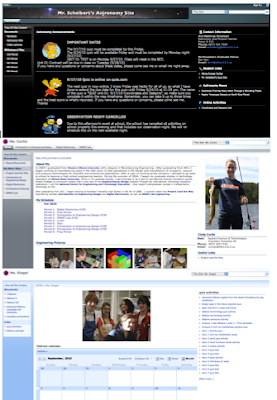
Another day, another post completing a trilogy. This time, we're taking a deeper look at some things you can do beyond the basics for both SharePoint and Google Sites. As mentioned in both post #1 (Know Thine Audience) and post #2 (Form and Function) , I suggest that teachers get a firm grasp of their website's audience and then determine the type and amount of content they wish to maintain. With those elements in place, layout, design, and colors can become a focus, and often, this is where the fun and exciting part of creating a website really comes into play.

Domain Gadget Directory Manager (DGDM) - Keeping your Google Sites Clean

Image
Image by Kinologik via Flickr I'm a big fan of Google Sites, and we're starting to see some momentum in that students are creating their own sites for class projects or digital portfolios. Part of the fun in creating your website involves customizing your pages to express your own personality. Google provides opportunities for such expression beyond text and images through Gadgets. Unfortunately, a quick search of "hot" when Inserting a Gadget reveals many applications that are far from appropriate in the classroom. There was a suggested tool from Google (Feed Server Client Tool) that could be installed, but this seemed a bit more involved than it needed to be. Thankfully, courtesy of a recent GCT post by E.B., there's the Domain Gadget Directory Manager (DGDM), and I found this to be a very quick and easy way to manage a domain's accessibility to gadgets. More after the jump.

ETHS Teacher Websites Workshop

This link will take you to the Agenda for the Teacher Websites workshop. This workshop is part of a week-long series of voluntary technology trainings provided by Evanston Township High School (ETHS).  Its main objective is to train teachers across disciplines on the features, benefits, and impact of designing, creating, and maintaining a classroom website.