Posts

Showing posts with the label websites

Three Things I Learned About Microsoft SharePoint Today

Image
This week, I had a few epiphanies with regards to using Microsoft SharePoint.  Although I have been training the majority of new teacher website requests using Google Sites, we continue to have a large contingent of teachers using SharePoint for their site construction and we continue to use the platform for many department Intranet and special project sites.  Forced to tool around the admin site of things, I made a few interesting discoveries that will help many of our teachers and add functionality to several sites. These features may not be anything new to you, so feel free to bypass this post. Otherwise, read on for the eye-opening discoveries.

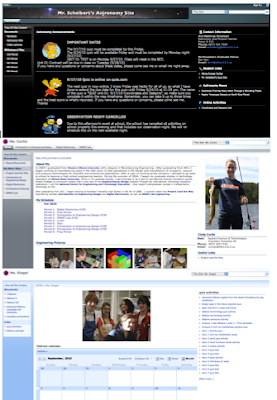
Live @ ISTE 2011 - The All-Inclusive Classroom Website

The following is the live feed (or if you're reading this after the event - the archived feed) of a presentation at ISTE 2011 titled "The All-Inclusive Classroom Website: How to Stop Collecting Paper Forever" The session took place on Wednesday, June 29, 2011 from 8:30-9:30 am (EST) at the Philadelphia Convention Center. <p><a href="http://www.coveritlive.com/mobile.php/option=com_mobile/task=viewaltcast/altcast_code=c9408b9dc4" >Live @ ISTE 2011 - The All-Inclusive Classroom Website</a></p> For more thoughts on Teaching and Learning Technology,  please consider subscribing to the RSS feed or through email .

ICE 2011 Poster Session: Teacher Websites - What Works, What Doesn't, What To Do?

Welcome 2011 ICE Attendees! Here are the links to my poster resources: Embed/ Link to Prezi Teacher Websites - What Works, What Doesn't, What To Do? on Prezi Embed/ Link to Full eGuide (version 1.0) Open publication - Free publishing - More ice11 Link to Poster Handout Link to ICE 2011 Wiki For more thoughts on Technology,  please consider subscribing to the RSS feed or through email .

Homework Calendars - Publishing, Sharing, and Informing using Microsoft SharePoint and Google Sites

Image
Image via CrunchBase "What's for homework?" or "When is our next test?" or "When is my final essay due?" are probably some of the most common questions a teacher will get asked during class. Prior to creating my own teacher website, I tried to have a syllabus for each unit and students would get a 2-3 week snapshot of all the homework assignments, lab experiments, and tests. With teacher websites becoming more popular, sharing this information online becomes a great way to keep our students (and parents) informed. Using our website trilogy as a starting point, we will now take a look at a few ways to share what's due and when.

Tips for Teacher Websites #3: Going beyond the basics

Image
Another day, another post completing a trilogy. This time, we're taking a deeper look at some things you can do beyond the basics for both SharePoint and Google Sites. As mentioned in both post #1 (Know Thine Audience) and post #2 (Form and Function) , I suggest that teachers get a firm grasp of their website's audience and then determine the type and amount of content they wish to maintain. With those elements in place, layout, design, and colors can become a focus, and often, this is where the fun and exciting part of creating a website really comes into play.

Tips for Teacher Websites #2: Form and Function

Image
Last week we discussed how important it was determine the initial audience for your teacher website. In summary, I have to say that it really helped me to stay motivated in creating my site when I viewed it as an organizational tool for my curriculum as opposed to just a flashy page to attract my students' attention. Today, I reflect on my experience and offer a few more suggestions in getting your teacher website up and running.

Tips for Teacher Websites #1: Know thine Audience

Image
Today, I gave a workshop on creating teacher websites, so I thought I'd share a few of the tips I've picked up along my 10 year teaching career, nearly all of which featured a classroom web presence in some capacity. One of the most important revelations in how I was able to create and more importantly, maintain a working website, was by first understanding the audience for whom I was creating the website.

ETHS Teacher Websites Workshop

This link will take you to the Agenda for the Teacher Websites workshop. This workshop is part of a week-long series of voluntary technology trainings provided by Evanston Township High School (ETHS).  Its main objective is to train teachers across disciplines on the features, benefits, and impact of designing, creating, and maintaining a classroom website.
