Posts

Showing posts with the label smartboard

Live @ ISTE 2011 - Climbing the Interactive Whiteboard Mountain

The following is the live feed (or if you're reading this after the event - the archived feed) of a presentation at ISTE 2011 titled "Climbing the Interactive Whiteboard Mountain" given by Bret Gensburg . The session took place on Tuesday, June 28, 2011 from 10:30-11:30 pm (EST) at the Philadelphia Convention Center. <p><a href="http://www.coveritlive.com/mobile.php/option=com_mobile/task=viewaltcast/altcast_code=eea0d87e28" >Live @ ISTE 2011 - Climbing the Interactive Whiteboard Mountain</a></p> For more thoughts on Teaching and Learning Technology,  please consider subscribing to the RSS feed or through email .
Software Review: AverMedia Flash App with SMART Notebook

Image
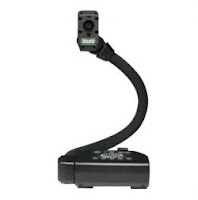
This year, we have deployed close over 75 document cameras to our classrooms, and we have been pleased thus far with the product (CP-155) chosen from AverMedia . As several of our classrooms become outfitted with SMART Boards, we find more teachers delivering lessons from the bundled software, in this case, the increasingly polished SMART Notebook 10. AverMedia has released an application that allows for integration of their document cameras with many of these software programs through a clever use of a flash file.

SMART Notebook 10.7 Review and Testing of the New 800 Series Features

Image
Although the software has been released for a few months, we are just getting a few new boards installed and I have had a chance to explore more of the new features found in SMART Notebook 10.7. So, here are some observations from the update as well as how the new features integrate nicely with the 800 series board.

Playing With a Purpose - A Review of purposegames.com

Image
This week, a colleague shared a great site that can used for creating games and playing them online. The site, purposegames.com , allows you to create and play new and existing interactive games. Currently, there are two different types of games, one being a standard multiple choice format, while the other is a marker type game where you need to click on the place where a specific word, term, or phrase belongs. For example, one of the site's more popular games, The States of the USA , records how long it takes for you to correctly identify the position of all 48 continental states.  There are similar examples for all the countries on the other continents.

Free SMARTBoard Course - Take a class with Mrs. Blossom.

Image
Image via Wikipedia September brings lots of back to school deals: 10 cent folders, 25 cent crayon packs, 50 cent composition notebooks. How about a $95 online award-winning SMARTBoard course for free ? This offer came via the SMARTBoard Ning , and I recently forwarded it to several of our existing SMARTBoard users. So, how does the course hold up and is it worth the price of free ? More after the jump.

Technology Training Workshop: Diving into the Smart Notebook Lesson Activity Toolkit 2.0

Yesterday, I gave an afternoon training workshop on the Lesson Activity Toolkit for Smart Notebook.  Similar to what I've seen other trainers do, I view the LAT as the second phase in teacher training for SmartBoards.  The first phase involves simply using the board for everyday usage (e.g. web browsing, showing videos, presentations).  The next half step would be to start using the Notebook software to ink and possibly add images and pre-built flash animations from the Gallery. In planning for this workshop, I was hoping to find training resources that described all of the features of the Lesson Activity Toolkit.  Unfortunately, though I found a few useful blogs, ( Teq , The WhiteBoard Blog ) and some individual YouTube videos, I didn't find a nice summary of the features and possible integration strategies for the classroom.  Thus, I created a handout and my first wikispace .  The handout (found as an attachment on the wiki) contains a summary of the bu...

Reflections at ICE (General Conference) 2/25/10

Day 2 at ICE (for me) brought a renewed sense of creativity and interest in using our Smartboards and training our teachers on ways to effectively create lessons in Notebook. First, I saw a presentation on document cameras, and although this was my first time at ICE, it seemed like the Mega Center (Exhibitors Hall) was "mega" into DC's and SmartBoards. Every aisle had vendors hawking their own version of Smart Notebook and different cameras. At ETHS, we don't have too many document cameras out there, but I could see rolling a few out to departments and/or the Staff Tech Center. I would guess that teachers would find these a bit easier and more intuitive than a traditional scanner. Later in the day, I attended "SMART 202", a very lively presentation given by Bret Gensburg . Engaging, humorous, and vivacious, Bret held the attention of a standing room audience for 45 minutes strong, and people were still cramming into the room at the end. Bret inspire...